
Introduction
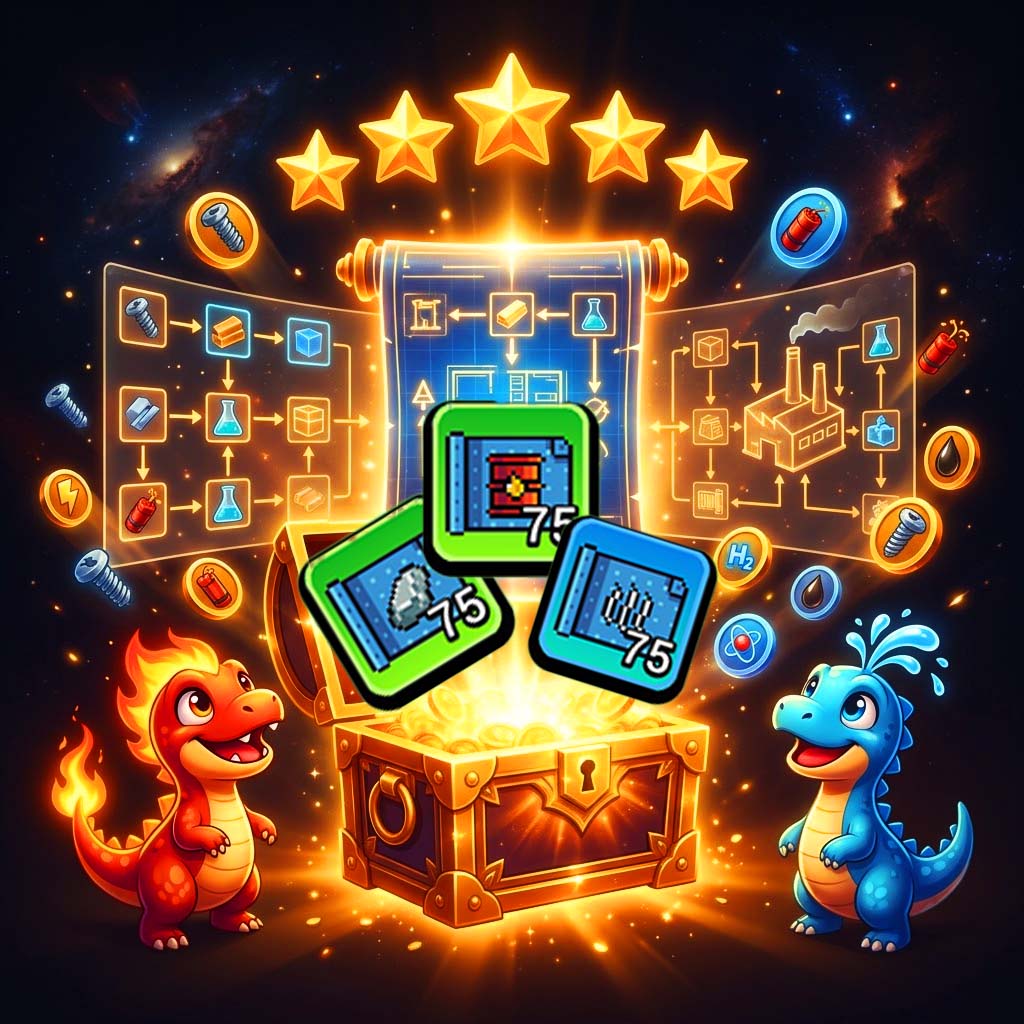
Craft World Blueprints have officially arrived – and if you haven’t started using them yet, you’re leaving serious production efficiency on the table.
This is not a minor patch. The Blueprint system is the most significant gameplay update to hit Craft World on Ronin since mainnet launch. It fundamentally changes how you approach your crafting area, your factory layout, and your long-term meta-progression strategy.
Before Blueprints, building an efficient production chain required deep knowledge of every resource dependency, manual factory placement, and constant optimization. Now, a Blueprint does the heavy lifting – automatically laying out the full crafting chain for you, from raw inputs all the way to the final output resource.
But Blueprints are more than just a convenience feature. They introduce a star-based upgrade system, dedicated land plots, a chest drop mechanic, and an entirely new strategic dimension to Craft World’s already deep player-owned economy.
Whether you’re a new player trying to understand what Blueprints are, a mid-game grinder optimizing your setup, or a late-game strategist planning the most efficient path to Dynamite or Hydrogen – this guide covers everything.
By the end of this article you will know:
- Exactly what Craft World Blueprints are and how they work
- How to use the new Blueprint Land Plot
- Every resource with a dedicated Blueprint (all 15)
- How the star upgrade system works
- How to switch Blueprints without losing progress
- Every way to get Chests and unlock Blueprints
- The best strategic approaches to Blueprint selection
- Answers to every common Blueprint question
Let’s build smarter. 🧩
What Are Craft World Blueprints?
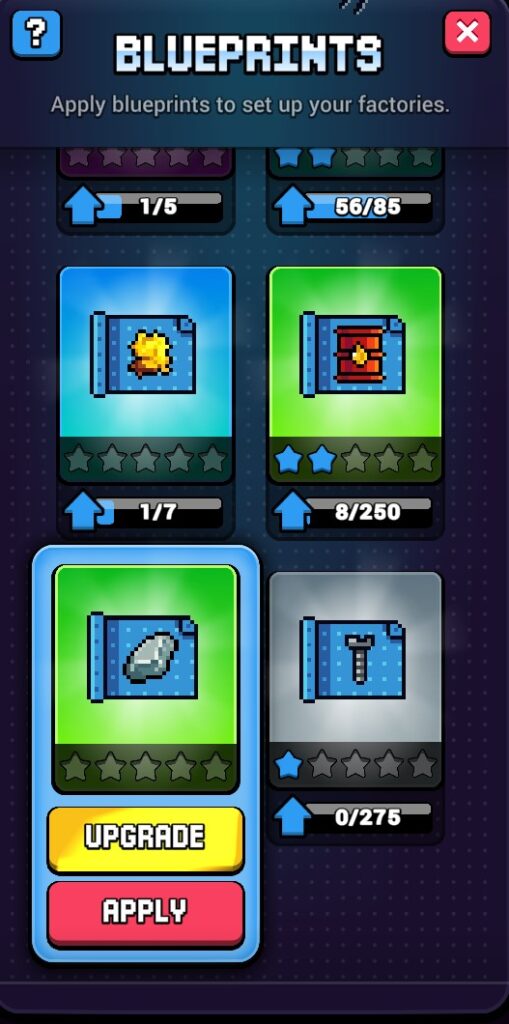
Craft World Blueprints are layout templates that automatically configure your crafting chain on a dedicated land plot, guiding you through the production of complex, higher-tier resources.
In the simplest terms: instead of manually placing every factory and figuring out the correct resource chain yourself, a Blueprint sets up the entire production flow for you.
The Problem Blueprints Solve
Before Blueprints, producing a high-tier resource like Dynamite, Fiberglass, or Hydrogen required you to:
- Know every intermediate resource in the crafting chain
- Manually place all required factories in the correct order
- Optimize the layout for production efficiency
- Redo everything if you wanted to switch production targets
For new and mid-game players, this was the biggest barrier to accessing late-game content. For experienced players, it was time-consuming and repetitive.
Blueprints eliminate this friction entirely.
What a Blueprint Actually Does
Each Blueprint represents a dedicated crafting lane – a complete production flow focused on one final output resource.
The key terminology to understand:
A “dedicated Blueprint” is one whose final production area outputs the specified resource. For example, the last stage of a Dynamite Blueprint produces Dynamite.
When you apply a Blueprint to your Blueprint Land Plot, it automatically:
- Lays out all the production areas in the correct order
- Configures the resource chain from base inputs to final output
- Connects all factory stages in sequence
- Prepares the land plot for immediate production
This means you can go from zero to a fully configured Dynamite production line without manually solving the dependency chain yourself.
The Blueprint Land Plot: Your New Crafting Zone
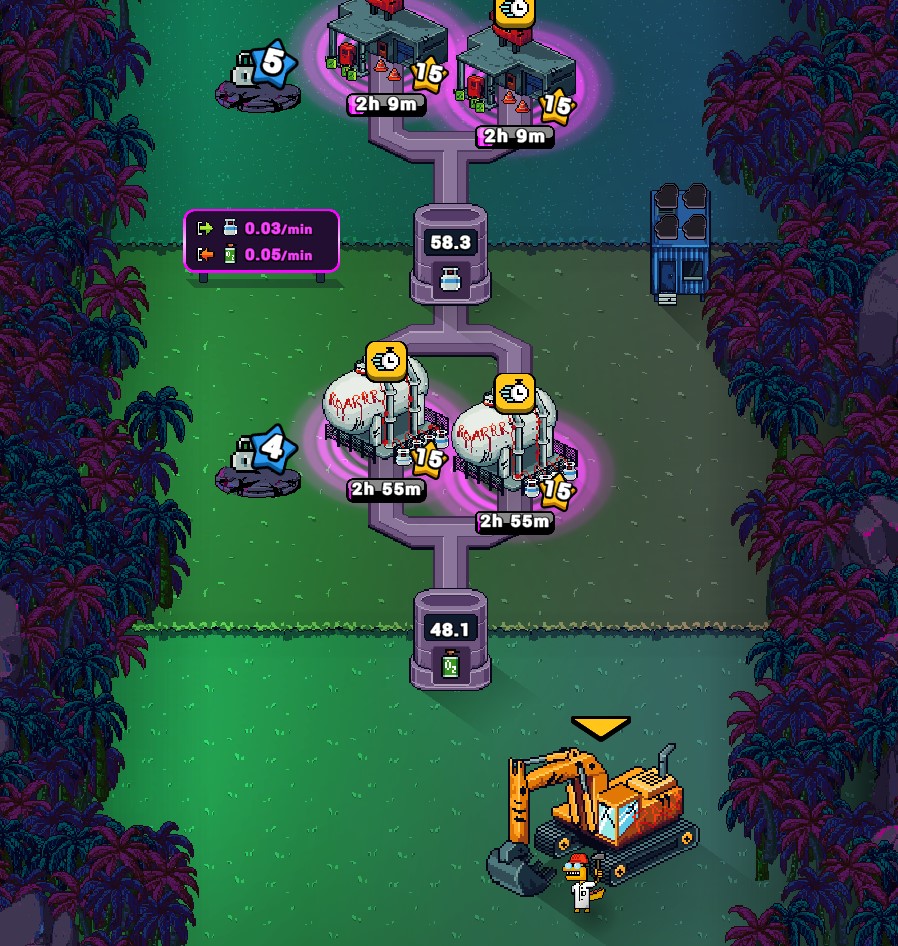
auto-configured production chain. Each factory stage connects
automatically – no manual placement required.
Blueprints are applied to a new dedicated land plot in your crafting area called the Blueprint Land Plot. This is separate from your existing land plots and serves as the home for all Blueprint-based production.
How the Blueprint Land Plot Works
- Each Blueprint occupies the Blueprint Land Plot as its own crafting lane
- The Blueprint automatically lays out the resource chain on this plot
- You can have one active Blueprint running at a time per Blueprint Land Plot
- Switching to a different Blueprint is possible at any time (see the Switching section below)
Scaling with Star Level
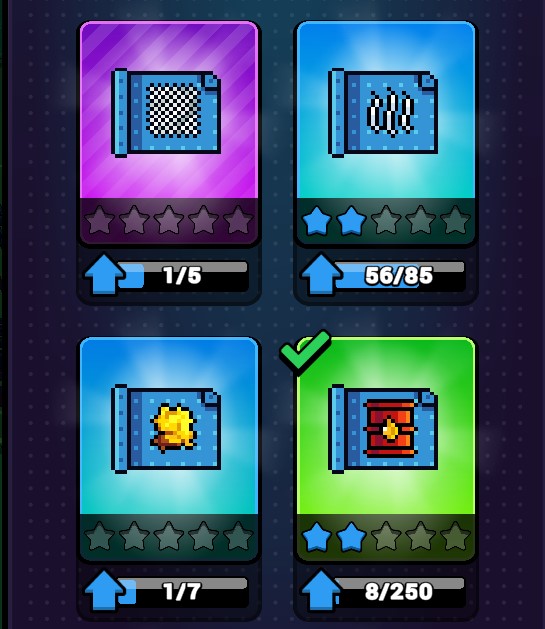
The Blueprint Land Plot’s capacity grows as you upgrade your Blueprints. Higher star levels unlock more factory slots per production area:
- 0 stars (base): Minimum factory slots per area
- ⭐ (1 star): Additional factory slot unlocked
- ⭐⭐ (2 stars): Further capacity increase
- ⭐⭐⭐ (3 stars): Mid-tier production power
- ⭐⭐⭐⭐ (4 stars): High-efficiency layout
- ⭐⭐⭐⭐⭐ (5 stars – max): Maximum factories per area, peak production efficiency
The more stars your Blueprint has, the more factories fit in each production area – which directly translates to faster resource output per hour.
All Craft World Blueprint Resources (Complete List)
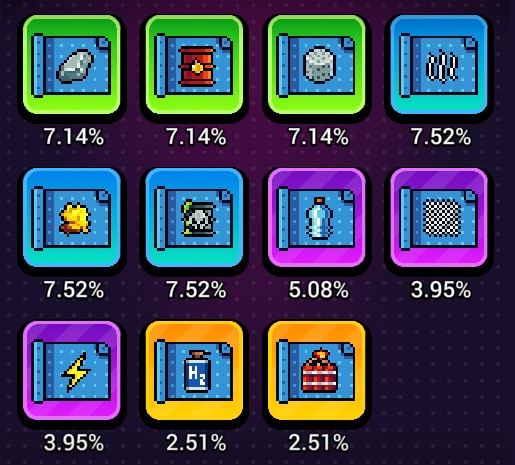
Blueprints cover nearly all craftable resources in Craft World – with the exception of the three base elemental resources: $EARTH, $WATER, and $FIRE (these are generated by Dyno NFTs and the Earth Dyno mechanic, not crafted).
Here is the complete list of resources with dedicated Blueprints:
⚙️ Mechanical & Structural Resources
| Resource | Blueprint Available | Notes |
|---|---|---|
| Screws | ✅ Dedicated Blueprint | Also part of other chains |
| Oxygen | ✅ Dedicated Blueprint | Key for advanced crafting |
| Ceramics | ✅ Dedicated Blueprint | Clay + Seawater chain |
| Glass | ✅ Dedicated Blueprint | – |
| Stone | ✅ Dedicated Blueprint | – |
🛢️ Industrial Resources
| Resource | Blueprint Available | Notes |
|---|---|---|
| Oil | ✅ Dedicated Blueprint | – |
| Steam | ✅ Dedicated Blueprint | – |
| Cement | ✅ Dedicated Blueprint | – |
| Sulfur | ✅ Dedicated Blueprint | – |
| Acid | ✅ Dedicated Blueprint | – |
🧪 Advanced Resources
| Resource | Blueprint Available | Notes |
|---|---|---|
| Plastics | ✅ Dedicated Blueprint | – |
| Fiberglass | ✅ Dedicated Blueprint | Late-game resource |
| Energy | ✅ Dedicated Blueprint | – |
| Hydrogen | ✅ Dedicated Blueprint | Highest tier |
| Dynamite | ✅ Dedicated Blueprint | Highest tier |
What About Resources Without Dedicated Blueprints?
Not every resource has its own dedicated Blueprint – but that doesn’t mean they’re excluded from the system.
Some resources appear inside other Blueprints’ production chains. The most important example:
Copper does not have a dedicated Copper Blueprint. However, Copper appears as a production area within the Screws Blueprint, the Stone Blueprint, and the Sulfur Blueprint.
This means that even without a dedicated Blueprint, you’ll still produce intermediate resources as part of running other Blueprints. The system is designed so that the most strategically important resources always appear somewhere in the Blueprint network.
The Star Upgrade System: Leveling Up Your Blueprints
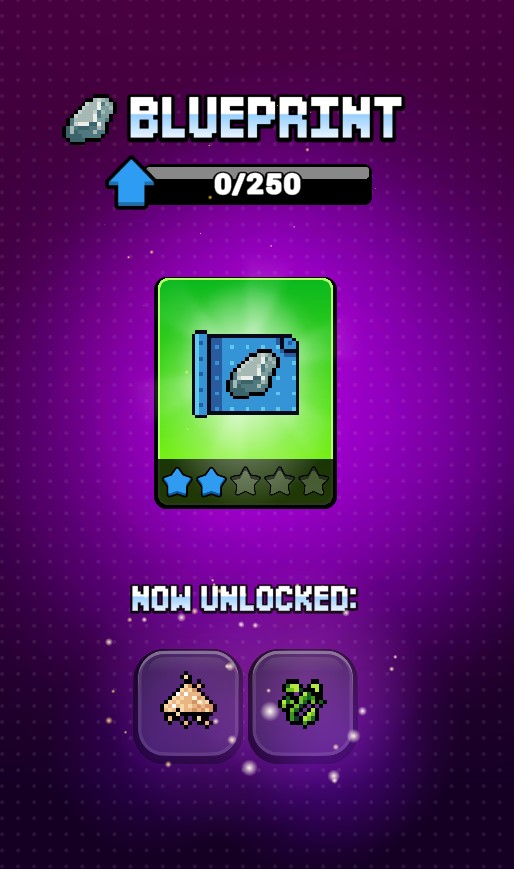
The star upgrade system is the core meta-progression mechanic of the Blueprint feature. It rewards players who invest consistently in specific Blueprints with significantly more production capacity.
How Upgrading Works
- Collect Blueprint copies – each time you receive the same Blueprint from a Chest, it counts as a copy
- Accumulate enough copies to level up that Blueprint
- Level up from 0 to ⭐⭐⭐⭐⭐ (5 stars maximum)
- Higher star level = more factories per production area on the Blueprint Land Plot
Key Rules to Remember
- ✅ Once upgraded, a Blueprint keeps its level permanently – upgrading is never wasted
- ✅ Level carries over when you switch Blueprints – your Dynamite Blueprint stays at ⭐⭐⭐ even if you switch to an Oil Blueprint temporarily
- ✅ Different Blueprints can be at different star levels – you build a portfolio of upgraded Blueprints over time
- ✅ Each star level adds more factory slots – the production efficiency gain compounds significantly at higher stars
Why Star Level Matters Strategically
The difference in production capacity between a 0-star and a 5-star Blueprint is substantial. Consider this:
- A 0-star Oil Blueprint might give you 1 factory per production area
- A 3-star Oil Blueprint could give you 2-3 factories per area
With a complex resource like Dynamite requiring multiple production stages, that multiplier compounds across every stage of the chain – resulting in dramatically higher hourly output of the final resource.
Prioritize upgrading the Blueprints for your primary production resources first. Don’t spread your copies across every Blueprint equally – depth beats breadth in the star system.
How to Switch Blueprints Without Losing Progress
One of the most player-friendly design decisions in the Blueprint system is how switching works. The team built it to be completely risk-free.
The Switch Mechanic
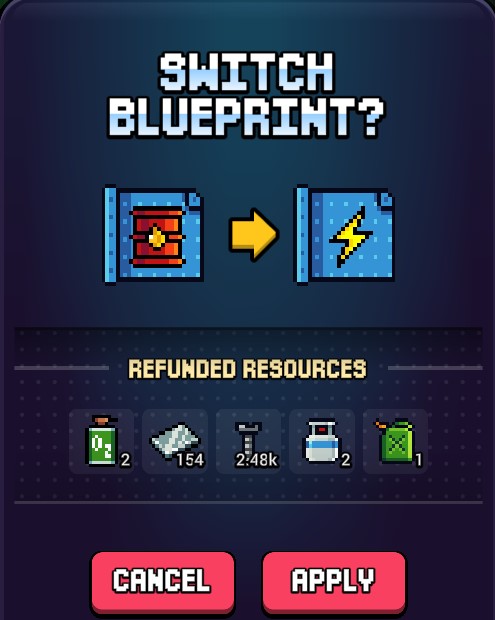
Switching Blueprints works similarly to the existing Flex Plot system:
When you switch from one Blueprint to another:
- ✅ Full refund on all factory building costs on the Blueprint Land Plot
- ✅ Full refund on all factory upgrading costs on the Blueprint Land Plot
- ✅ Full refund on any non-used inputs for currently running factories
- ✅ Your Blueprint’s star level stays intact – it will be exactly where you left it when you return
- ✅ The new Blueprint is applied immediately and ready to use
Practical Implications
This means you can:
- Experiment freely with different Blueprints without financial risk
- Temporarily switch to meet a specific production need (e.g., switching to Cement for a Masterpiece contribution)
- Rotate between Blueprints based on market prices – if Hydrogen is selling at a premium on the Exchange, switch to Hydrogen; if Plastics demand spikes, switch there
- Never feel locked in to a Blueprint choice
This switching flexibility is a direct extension of Craft World’s broader philosophy: the player-owned economy rewards strategic responsiveness to market conditions.
How to Get Blueprints: Every Method Explained
Blueprints are obtained through Chests. You cannot craft Blueprints or buy them directly – they are exclusively a Chest drop.
What Are Chests?
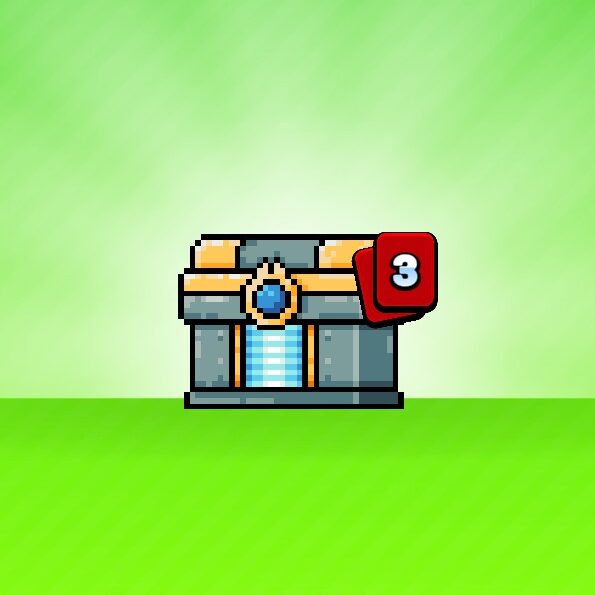
Chests are a new item type in Craft World that contain Blueprint drops. Each Chest opens to reveal one or more Blueprint copies, which may be of varying types and rarities.
⚠️ Important: All drop rates are visible in-game. You can always check exactly what the odds are for each Blueprint type before opening a Chest.
Method 1: Daily Free Chest (Ad Watch) 🎥
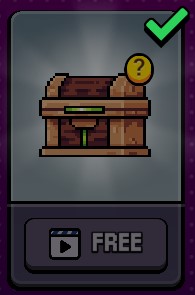
The most accessible method for all players.
- Watch a rewarded video ad once per day
- Receive one free Chest
- Zero cost, zero resource investment
- Available to every player regardless of level or NFT ownership
This is the baseline Blueprint acquisition method. Even if you never spend Gems or participate in Masterpieces, you can steadily build your Blueprint collection through daily free Chests.
Recommended strategy: Always claim your free daily Chest. Over 30 days, that’s 30 Chests – enough to meaningfully progress the star level of at least 2-3 Blueprints.
Method 2: Gem Purchases 💎
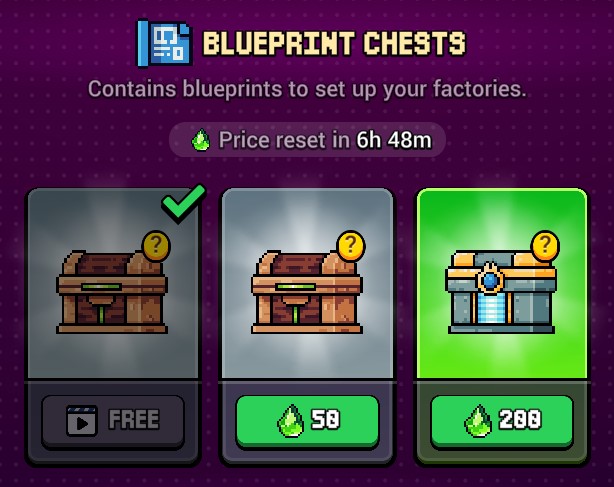
For players who want to accelerate progression.
- Purchase Chests directly using Gems (the in-game premium currency)
- Multiple Chest tiers may be available with different drop rate distributions
- Gem purchases are available through the in-game shop
Recommended strategy: If you’re targeting a specific Blueprint for maximum star level as quickly as possible, Gem purchases are the fastest path. Focus Gem spending on the Blueprints that align with your primary production strategy rather than spreading across all types.
Method 3: Masterpiece Rewards 🏆
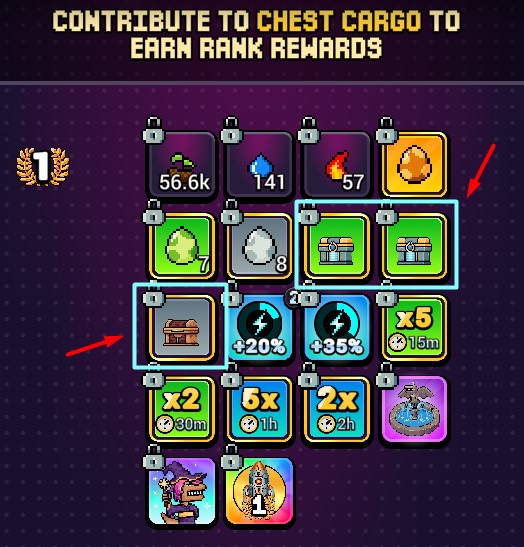
The highest-value source for dedicated community players.
- Contribute resources to the active Masterpiece
- The more you contribute, the higher your Masterpiece Points (golden crown symbol)
- Higher Masterpiece Points unlock higher treasure tiers
- Higher treasure tiers include Chests as rewards
⚠️ Important: To be eligible for Masterpiece treasure rewards including Chests, you must have purchased a Rawrpass for that specific Masterpiece. The Rawrpass is valid for one Masterpiece only and must be repurchased for each new Masterpiece.
Recommended strategy: If you have a Rawrpass active, prioritize contributing to the Masterpiece during the final stages – this is when the community is most active and contribution thresholds are easiest to meet collectively. Higher tier rewards mean better Chest drops.
Chest Drop Rates
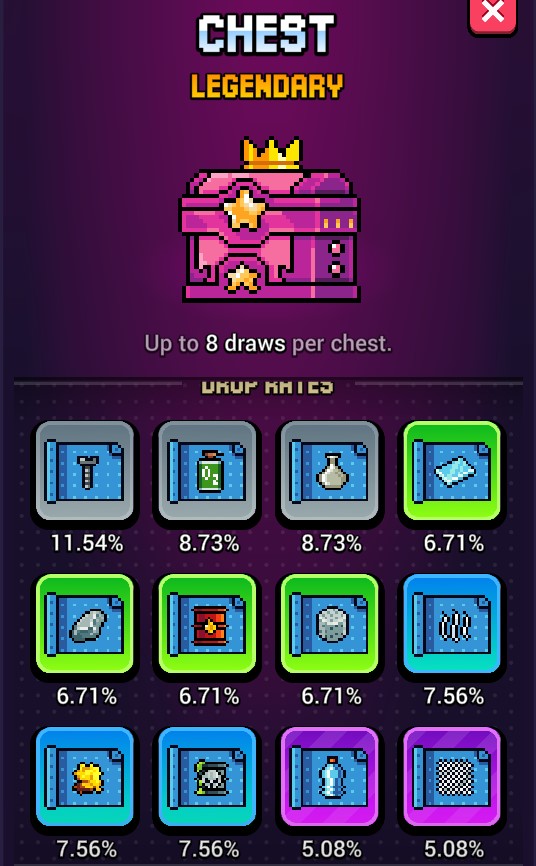
All Chest drop rates are visible in-game. Check the rates before opening to understand:
- Which Blueprints can drop from which Chest type
- The probability of getting a specific Blueprint
- Whether the Chest can drop multiple copies of the same Blueprint
This transparency is consistent with Craft World’s broader commitment to a fair, player-driven economy where information is accessible to all.
Blueprint Strategy Guide: How to Choose and Prioritize
With 15 dedicated Blueprints available, the strategic question is: which Blueprint should you focus on first?
Here is a framework for making that decision:
Strategy 1: Follow the Exchange Market
Every resource in Craft World trades on decentralized liquidity pools powered by supply and demand. Check the in-game Exchange to identify which resources currently command the highest price per unit relative to their production cost.
High-demand, high-price resources = prioritize those Blueprints first.
Resources to watch:
- Dynamite – complex chain, high late-game demand
- Hydrogen – top-tier resource, consistently valuable
- Fiberglass – used in late-game construction
Strategy 2: Align With Your Masterpiece Needs
Check what the current Masterpiece requires. If it needs large quantities of Cement or Glass, prioritizing those Blueprints allows you to contribute more efficiently – unlocking better treasure tiers and Chest rewards faster.
This creates a positive feedback loop:
- Blueprint → more efficient Cement production
- More Cement → higher Masterpiece contribution
- Higher contribution → better Chest rewards
- Better Chests → more Blueprint copies → higher star level
- Higher star level → even more efficient Cement production
Strategy 3: Depth Over Breadth (Star Level Focus)
Do not spread your Blueprint copies evenly. The star upgrade system rewards concentration.
- Pick 2-3 Blueprints as your primary focus
- Invest all copies of those types into reaching ⭐⭐⭐ or higher
- Only then diversify into other Blueprints
The production efficiency difference between ⭐ and ⭐⭐⭐⭐⭐ is significant enough that a 5-star Screws Blueprint will consistently outperform three different 1-star Blueprints.
Strategy 4: Free-to-Play Blueprint Path
If you rely primarily on daily free Chests:
- Start with mid-tier resources (Ceramics, Stone, Glass) – these are useful at all progression stages
- Avoid spreading across all 15 Blueprints immediately
- Track which Blueprints drop most frequently from free Chests – concentrate upgrades there
- Wait for Masterpiece cycles to boost your Chest income through Rawrpass rewards
Strategy 5: Market Arbitrage Play
Since Blueprint switching is completely free (full refund system), advanced players can:
- Monitor Exchange prices daily
- Switch Blueprint to whatever resource is at peak demand/price
- Produce that resource at maximum efficiency using high-star Blueprints
- Sell on the Exchange at peak price
- Switch Blueprint when another resource becomes more profitable
This is the closest Craft World gets to active DeFi trading strategy within the gameplay loop – and it’s entirely enabled by the Blueprint system’s flexible switching mechanic.
Blueprint System and the Player-Owned Economy
The Blueprint update doesn’t exist in isolation – it deepens Craft World’s player-owned economy in several important ways.
Impact on Resource Supply
By making higher-tier resource production more accessible, Blueprints will:
- Increase supply of previously scarce resources like Dynamite, Hydrogen, and Fiberglass
- Create new market dynamics as more players can now access late-game production chains
- Shift competitive advantage from “who knows the crafting chain” to “who has the highest star-level Blueprint”
Impact on the Exchange
Expect price adjustments on the in-game Exchange as Blueprint adoption grows:
- Late-game resources may see temporary price decreases as supply increases
- Mid-tier resources (Ceramics, Stone) may see increased demand as they’re incorporated into Blueprint chains
- New arbitrage opportunities will emerge for traders who can anticipate which Blueprints become most popular
Impact on Masterpieces
Blueprints make it easier for more players to produce the specific resources that Masterpieces require. This should:
- Accelerate Masterpiece completion times as collective contribution efficiency increases
- Increase competition for top Masterpiece tier rewards
- Make Rawrpass even more valuable for dedicated contributors
Craft World Blueprints FAQ
Q: Do I need a Dyno NFT to use Blueprints?
No. Blueprints are accessible to all players. You only need the Blueprint Land Plot in your crafting area. However, Dyno NFT holders still have an advantage as the sole producers of $FIRE and $WATER, which remain necessary inputs for many Blueprint resource chains.
Q: Can I upgrade multiple Blueprints at the same time?
Yes. Each Blueprint type has its own star level that upgrades independently. You can have a 5-star Dynamite Blueprint and a 2-star Oil Blueprint simultaneously – they upgrade separately as you collect copies.
Q: What happens to my factories when I switch Blueprints?
You receive a full refund on all building and upgrading costs, plus refunds on unused factory inputs. Nothing is lost when switching.
Q: Can I use a Blueprint on multiple Land Plots?
Each Blueprint operates on the dedicated Blueprint Land Plot. Check in-game for the most current details on multi-plot expansion options as the feature evolves.
Q: What is the most valuable Blueprint to focus on first?
This depends on current Exchange prices and your production goals. Generally, Dynamite and Hydrogen are the highest-tier dedicated Blueprint resources – but check the Exchange for real-time price data before committing.
Q: How many Chests can I get per day for free?
One free Chest per day via the rewarded video ad mechanic. Additional Chests are available through Gem purchases and Masterpiece rewards (requires Rawrpass).
Q: Does leveling up a Blueprint carry over if I switch?
Yes. Star levels are permanent and never reset, regardless of switching. A 3-star Blueprint will always be 3 stars when you return to it.
Q: Are all Blueprint drop rates visible?
Yes. All Chest drop rates are visible in-game so you always know what you’re opening.
Q: Can I get Blueprints without spending Gems?
Yes. The daily free Chest (ad watch) and Masterpiece rewards (with Rawrpass) are both non-Gem pathways to Blueprints.
Q: Do Blueprints include Earth, Water, and Fire resources?
No. These three elemental resources are excluded from the Blueprint system because they are generated through Dyno NFTs and the Earth Dyno mechanic rather than crafting chains.
Quick Reference: Everything You Need to Know
| Feature | Details |
|---|---|
| Total dedicated Blueprints | 15 resources |
| Excluded resources | $EARTH, $WATER, $FIRE, $MUD, $CLAY, $SAND, $COPPER, $SEAWATER, $HEAT, $ALGAE, $LAVA, $STEEL $GAS, $FUEL |
| Max star level | ⭐⭐⭐⭐⭐ (5 stars) |
| Switch cost | Free (full refund) |
| Level loss on switch | None (permanent) |
| Free Chests per day | 1 (ad watch) |
| Other Chest sources | Gems, Masterpiece rewards |
| Masterpiece requirement | Rawrpass (per Masterpiece) or Rank Rewards |
| Drop rate transparency | All rates visible in-game |
| Blueprint location | Blueprint Land Plot |
| Chain dependency | Base to final resource, auto-configured |
| Non-dedicated resources | Still appear in other chains (e.g., Copper in Screws Blueprint) |
Start Using Blueprints Today
Craft World Blueprints are live now and waiting in your crafting area. Here’s your immediate action plan:
- ✅ Claim your free daily Chest today (watch a rewarded ad)
- ✅ Check the in-game Exchange – identify which Blueprint resource is currently most valuable
- ✅ Apply your first Blueprint to the Blueprint Land Plot
- ✅ Plan your star upgrade path – choose 2-3 Blueprints to focus on
- ✅ Check the active Masterpiece – align your Blueprint choice with contribution needs
- ✅ Consider a Rawrpass if you want Masterpiece Chest rewards
Craft World is available free on all platforms:
- 💻 Web: craft-world.gg
- 📱 Android: Google Play
- 📲 iOS: App Store
Sources
- Official Craft World Blueprint announcement – @AngryDynomites
- VOYA Games Litepaper – https://voya-games.gitbook.io/voya-games-litepaper
- Craft World Wiki – https://angry-dynomites-lab.notion.site
- Angry Dynomites Lab Discord – https://discord.gg/angrydynomiteslab
- Craft World on Ronin Network – https://x.com/Ronin_Network
Recommended Reading
- How to Get Dynos in Craft World: Full Guide 2026 – Every method to obtain Dyno NFTs and earn $FIRE & $WATER tokens
- Craft World on Ronin: Blueprints Alpha & Team Interview – RoninBros Ep.21 Recap – The full story behind the Blueprint system from the team itself
- How to Get $Fire in Craft World (Ultimate Guide, 6 Ways) – Six proven ways to acquire the rarest resource in the ecosystem
- Craft World $Water – How to Get the $Water Token (Ultimate Guide, 6 Ways) – Complete breakdown of Water token acquisition strategies
Author: GQ, Web3 Gaming Content Creator, Promoting WEB3 games. OG Craft World player and Ronin content creator since testnet days.